
How to Turn a Long YouTube Video Into Shorts, TikToks and Reels (2026)
The fastest way is an AI clipping tool: paste the video's link, let it pick the best moments, check the clips and schedule them. Klap does this in one flow, and this guide walks through each step with it. Updated 21 November 2026.
Disclosure: This post may contain affiliate links, and if you decide to buy any of the promoted products, I may receive a commission at no additional cost to you. By doing this, I might feel more inspired to continue writing on this blog. You can read our affiliate disclosure in our privacy policy.
What you need
- A long video with clear speech: a podcast, interview, webinar, course, stream or a YouTube video. Klap accepts sources up to 3 hours.
- A free Klap account. One video can be turned into clips for free with no card, but downloading and posting need a paid plan.
- Accounts on the platforms you want to post to: TikTok, YouTube, Instagram, LinkedIn or Facebook.
Step 1. Pick the right source video
Clipping tools work from the transcript, so the best sources are videos where people speak clearly and make complete points: interviews, talks, tutorials, long-form commentary. A video with long silences or heavy background music gives the tool less to work with. If you have several videos, start with the one that already performed well on your channel.
Step 2. Paste the link into Klap
Create a free account at klap.app, then paste a link to the video. Klap accepts links from YouTube, Twitch, Vimeo, Loom, Google Drive and Dropbox, and you can also upload a file. Klap detects the spoken language and supports 99+ languages. Processing takes a few minutes for most videos, and longer for longer ones.
Step 3. Let the AI pick the moments
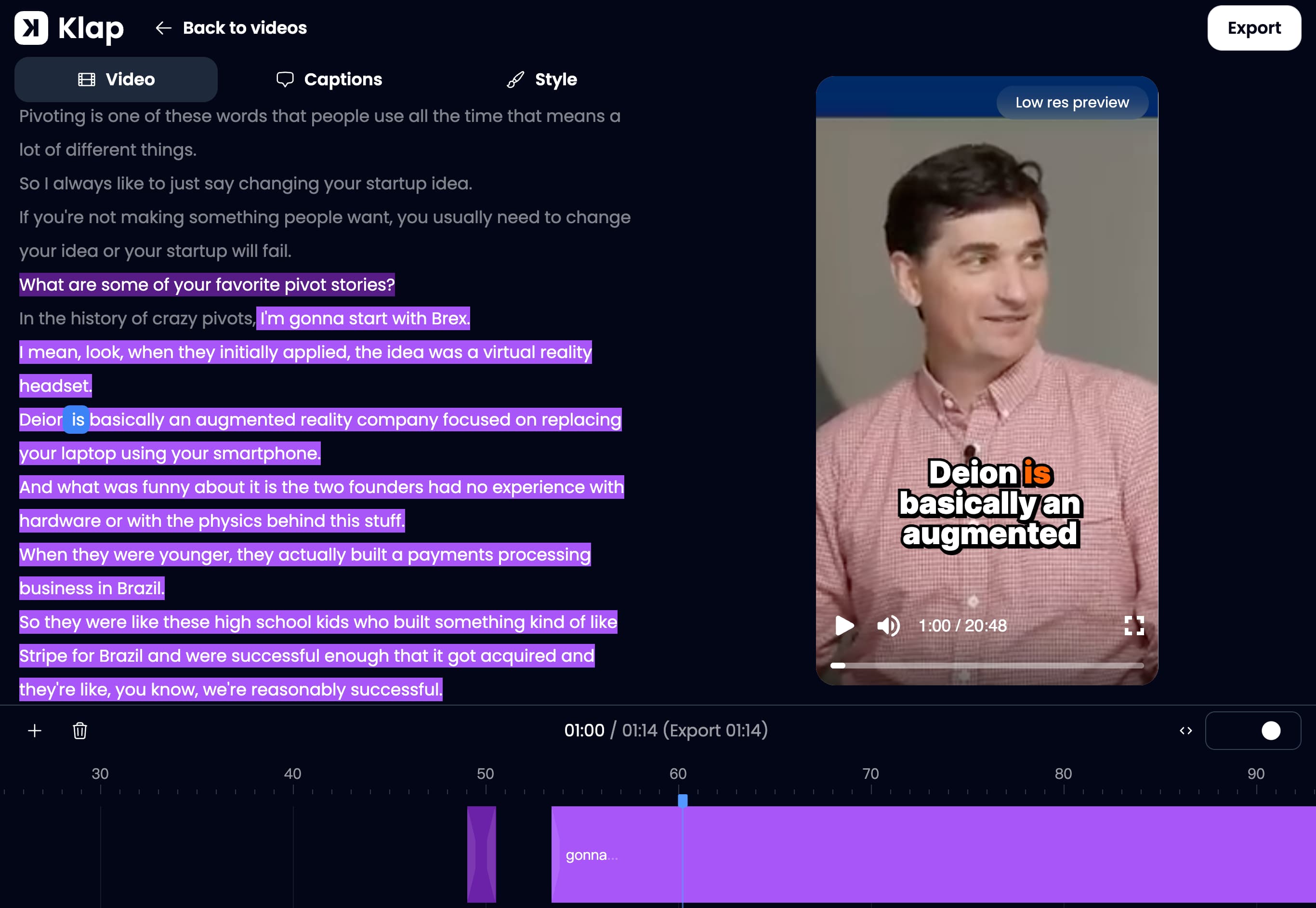
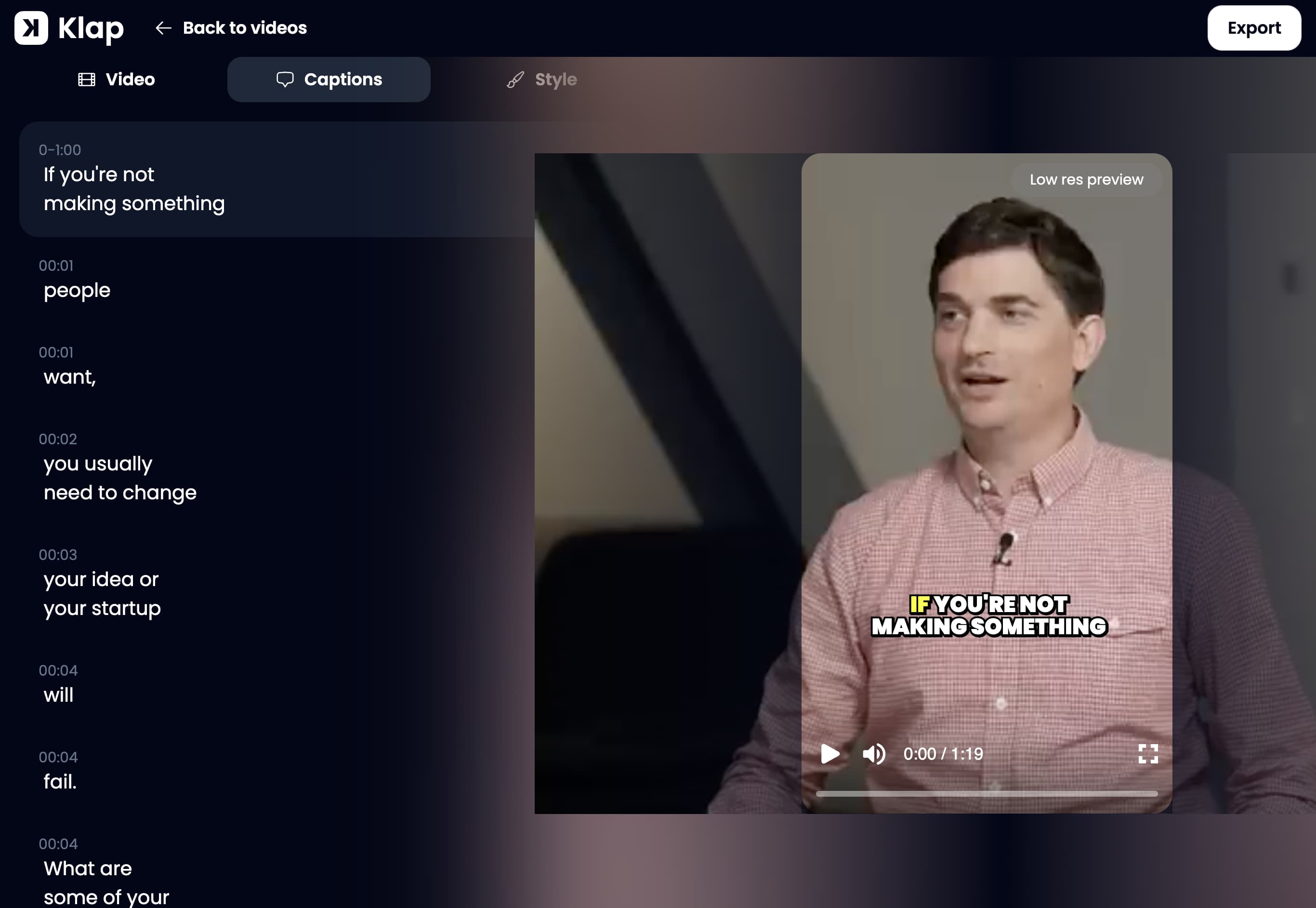
Klap's AI selects the moments it thinks make good clips and cuts them to a short length. Klap says it chooses moments that open on a hook and cover a full idea, and that it cuts pauses and slow stretches inside a clip. We have not measured that, so judge it on your own video. In the editor the chosen moments are highlighted in the transcript, which makes it easy to see what was picked and why.
Step 4. Check the virality scores, then watch every clip
Each clip gets a virality score, so you can start with the highest. Treat it as a way to sort, not a verdict: a score is the vendor's estimate, and only your audience decides what works. Watch each clip you plan to post and check four things: it starts at the beginning of a thought, it ends at the end of one, nobody is cropped out of the frame, and names and product terms in the captions are spelled correctly.
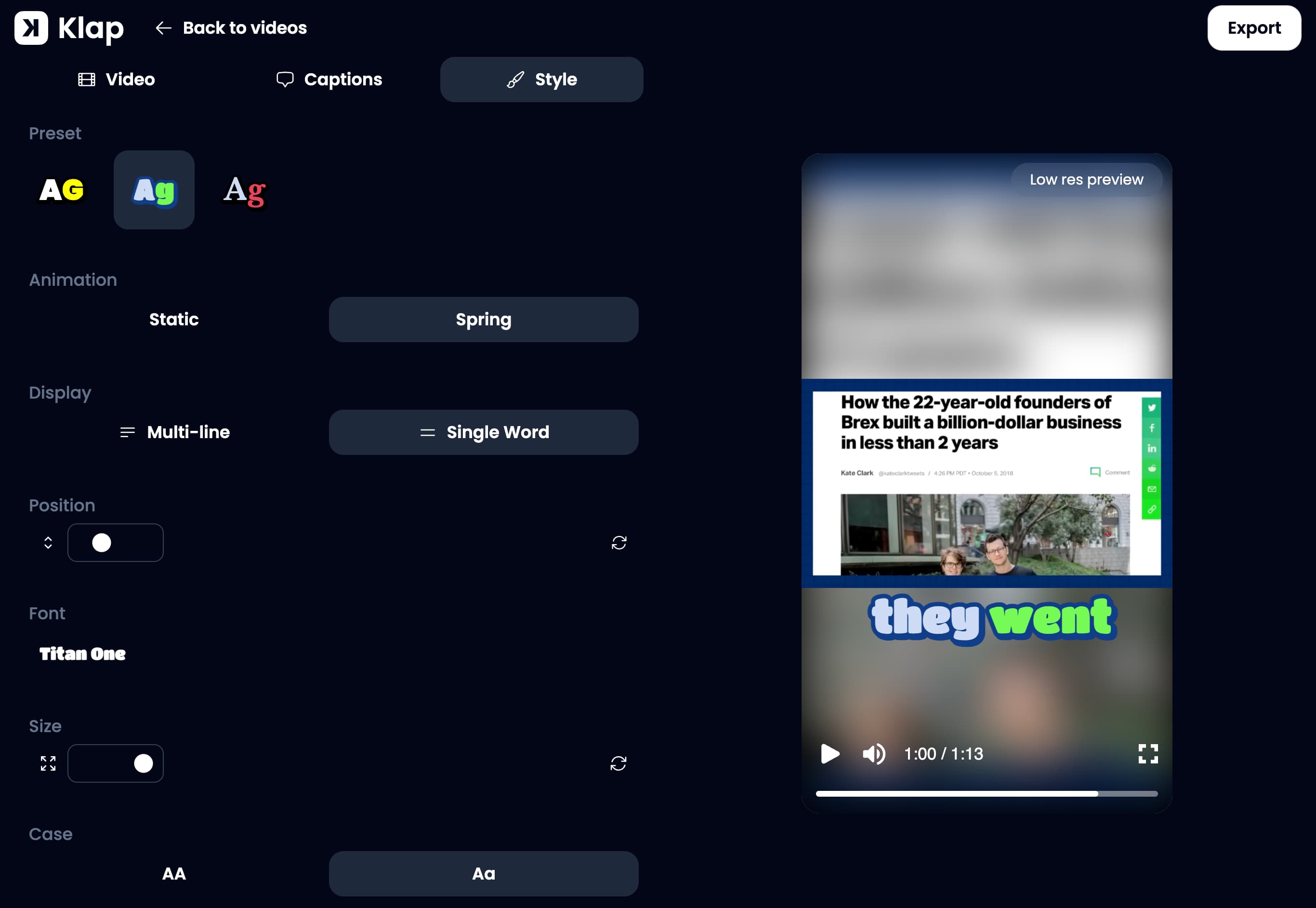
Step 5. Fix captions, reframing and style
This is where a few minutes of checking saves a weak post. Klap's editor lets you adjust each clip:
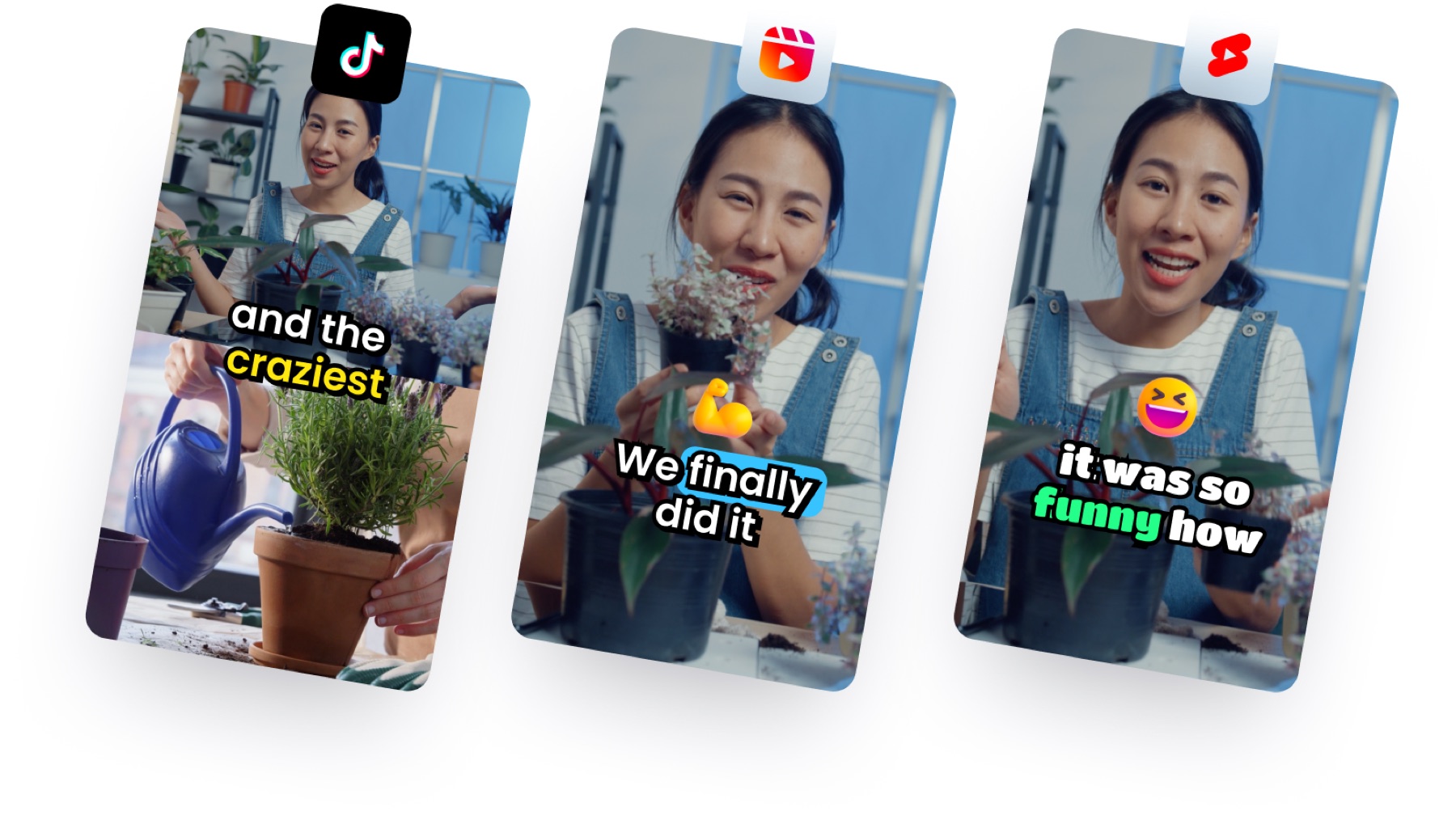
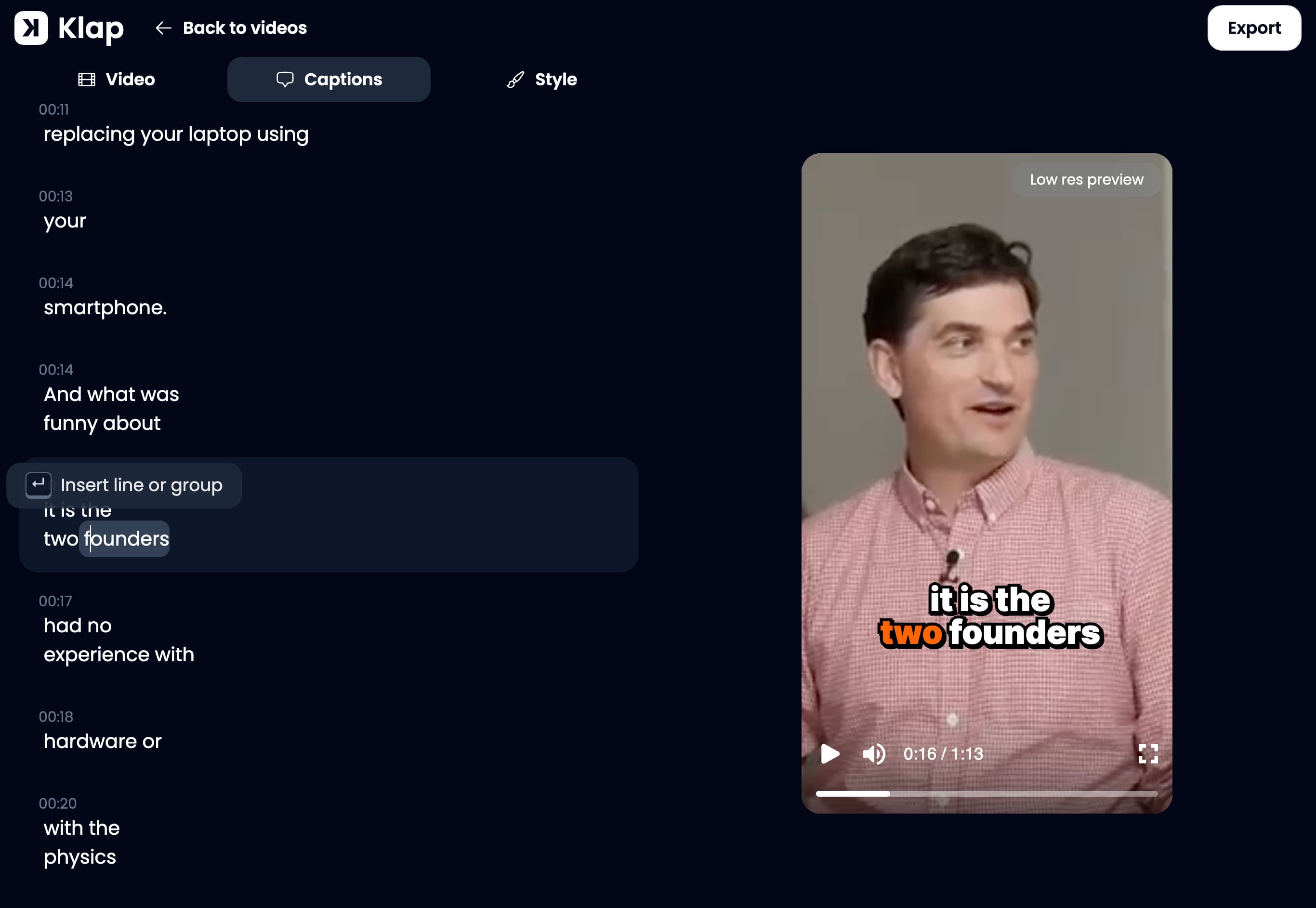
- Captions. Klap adds animated captions aligned word by word and says it corrects names and brand terms from context. Read them with the sound off once; fix anything wrong. Many viewers watch without sound, so captions carry the clip.
- Reframing. A horizontal video becomes vertical, and Klap says it follows whoever is speaking, with a split screen when two people talk. Check that the frame holds the right person at each moment.
- Brand style. Set fonts, colours and a logo so your clips look the same across videos.
Step 6. Export, schedule or post automatically
When a clip is ready you can download it or schedule it. Klap lists scheduling to TikTok, YouTube, Instagram, LinkedIn (personal profile only) and Facebook. It also has an automatic mode: set it up once and it posts 1, 2 or 3 clips a day to the accounts you choose, at the time it picks for your audience. Downloading and posting need a paid plan; the free account only previews and edits.
A simple routine for one video: keep the best 5 to 7 clips, schedule one a day for a week, then repeat with the next video. Look at each platform's own analytics after a week and move toward the clips that kept people watching.
What it costs
| Plan | Per month | Clips a month | Billed yearly, per month |
|---|---|---|---|
| Basic | $29 | 100 | $14.50 |
| Pro | $79 | 300 | $39.50 |
| Pro+ | $189 | 1,000 | $94.50 |
Prices from klap.app/pricing on 21 November 2026, in US dollars. Every plan includes AI clipping, unlimited social accounts, analytics and no watermark on paid exports. For other clipping tools and their prices, see our OpusClip, Vizard and Submagic pages or the full AI video clipping tools list. If you build clipping into your own app, read our comparison of clipping APIs.
5 tips for better Shorts from a long video
- Clip from your best sources. One strong interview gives more usable clips than three weak ones.
- Prefer clips that make sense without context. A viewer who never saw the full video should still follow it.
- Fix the first two seconds. The opening decides whether anyone watches; trim it if it starts slowly.
- Post across platforms, but check each one. The same vertical file works on Shorts, TikTok and Reels, but captions and cover text may need small changes.
- Link back to the full video. Point viewers to the long version in the description or a pinned comment.
FAQ
How do I turn a long YouTube video into Shorts?
Paste the video's link into a clipping tool, let it pick the moments, check and edit the clips, then export or schedule them. With Klap you paste a YouTube link (or Twitch, Vimeo, Loom, Google Drive or Dropbox) or upload a file, and it returns vertical clips with captions and a virality score. Sources can be up to 3 hours long (21 November 2026).
Can I make Shorts from a YouTube video for free?
Partly. Klap's free account turns 1 video into clips you can preview and edit with no card, but downloading and posting need a paid plan (paid plans start at $29 a month, or $14.50 a month billed yearly). OpusClip and Vizard each have a free plan with 60 credits a month and a watermark on exports. Check the current limits on each vendor's site.
How do I make a horizontal video vertical without cutting off the speaker?
Use a tool with automatic reframing that follows the person talking. Klap says it follows whoever is speaking and uses a split screen when two people talk. Whatever you use, check each clip in the preview: reframing is the step where mistakes show, such as a face cut at the edge.
Can the clips be posted automatically?
Klap lists scheduling to TikTok, YouTube, Instagram, LinkedIn (personal profile) and Facebook, plus an automatic mode that posts 1, 2 or 3 clips a day. Posting to a platform needs a paid plan, because downloads and posting are not part of the free trial.
How long can the source video be?
Klap accepts videos up to 3 hours. Vizard's free plan allows 60-minute uploads and its paid plans up to 10 hours. Check the limit of any tool before you upload a long recording.
How much does it cost?
Klap's plans on 21 November 2026: Basic $29, Pro $79 and Pro+ $189 a month (100, 300 and 1,000 clips a month); yearly billing is 50% off. Prices change, so check klap.app/pricing before you buy.