
How to Clone Your Voice Using AI: Meet Your Vocal Twin!

Ever need extra voiceovers but lack time?
Thanks to new technologies, AI can now clone your voice from minimal recordings.

This article shows you how to clone your voice using AI and reviews top tools to do it, comparing aspects like quality, features, and usability. Discover the easiest way to let software speak with your vocal style.
Disclosure: This post may contain affiliate links, and if you decide to buy any of the promoted products, I may receive a commission at no additional cost to you. By doing this, I might feel more inspired to continue writing on this blog. You can read our affiliate disclosure in our privacy policy.
How do AI-generated voices work?

AI voice cloning, at its core, involves creating a digital replica of a person's speech. This process starts with an audio recording of the target speaker.
The AI uses advanced algorithms and deep learning techniques to analyze speech patterns, tone, pitch, and accent. It studies how words and sounds are pronounced and how they change in different contexts.
In its learning phase , the AI builds a model, a mathematical representation of the unique characteristics of the speaker's voice.Once the model is created, the AI can generate new speech in the target speaker's voice. This is done using a process called speech synthesis.
The AI converts text into an audio file, using the voice model to ensure the generated result sounds like the original.
The result is a clone that can read any text in a real person's manner. It can serve your business and content ideas, saving time and money.
It's important to note that while technology has made significant strides, creating an exact replica of human voice is still a challenging task.
What is the Best Voice-Cloning AI?
Finding the right tool can be overwhelming because so many options exist.
Here is my pick of the 4 top voice-cloning tools:
1. Eleven Labs: The Most Hyped on the Market.
Best for Short Content Creators

Eleven Labs can be heard on almost every short video platform. The large number of pre-made AI speakers makes it an ideal choice for podcasters and video content creators who want to add a variety of voices to their content.
Eleven Labs AI is a revolutionary tool making waves in the voice cloning industry. It's a perfect fit for authors and content creators looking for a reliable and efficient way to transform their written content into high-quality audio.
Fun fact: ElevenLabs has an AI speaker named Adam (perhaps because it's the first in the list of AI speakers), and I hear it in every second TikTok video.
His confident and slightly wacky tone is perfect for creating an urge to keep hearing the information presented in your content.
Here is this paragraph read in his voice:
User Experience
The user experience with Eleven Labs AI is smooth and intuitive. I cover voice-generation and voice-cloning process using this tool here.
The platform is designed to be user-friendly, making it easy for anyone to navigate and use, regardless of their technical skills.
Creating a voice clone is straightforward and can be done in simple steps.
Key Features
- Long-Form Speech Synthesis
- Ability to create custom voices
- Voice Design for creating random voices
- Supports multiple languages, including English, German, Polish, Spanish, Italian, French, Portuguese, and Hindi
- API access for seamless integration
What I like about ElevenLabs
- The quality of the voice clones is impressive, offering a natural and realistic sound and needing only 5 minutes of audio to clone.
- The platform provides a commercial license, making it a great business choice.
- The ability to create custom voices adds a layer of personalization to the content.
- The pricing is reasonable, especially compared to hiring a professional voice actor.
What don't I like about ElevenLabs
- The voice synthesizer, while interesting, doesn't always perfectly duplicate a person's voice.
- The platform charges by character, not by word, which can be confusing.
- The speech's accents, pauses, and inflections can sometimes sound slightly off, especially in foreign languages.
Pricing

Eleven Labs AI probably has the most affordable price on the market. The Free plan offers 10,000 characters per month and allows you to create up to 3 custom voices. However you won't be able to clone your voice with this plan.
The Starter plan costs $5 per month and includes 30,000 characters and the ability to create up to 10 custom voices.
The Creator plan costs $22 per month for more extensive needs and includes 100,000 characters and up to 30 custom voices.
They also offer Independent Publisher, Growing Business, and Enterprise plans for larger requirements.
Try ElevenLabs2. Play.HT - The AI Voice Cloning Expert
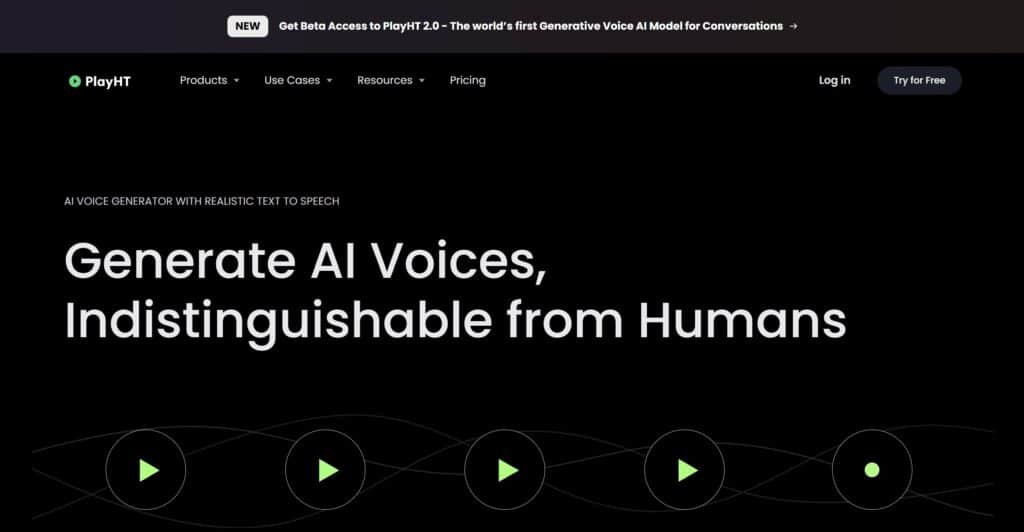
Play.HT clones voices with incredible accuracy. Their AI replicates natural speech patterns to produce realistic voice clones for media projects.
PlayHT Key Features:
-
Sounds totally natural - The cloned voices are indistinguishable from real human voices.
-
Made for media use - Play.HT specializes in voice cloning for professional podcasts, videos, audiobooks, and more.
-
Clone unlimited voices - Their AI can replicate unlimited voices to scale your vocal content.
-
Huge voice options - Choose from 900+ voices to clone in 100+ languages and accents.
What I like about Play.HT
-
Studio-grade cloning - Play.HT delivers broadcast-ready vocal performances from the cloned voices.
-
Mimics voices accurately - Their AI captures the unique nuances of each voice it clones.
-
Speeds up production - Cloning voices saves tons of time vs. recording real humans.
What I don't like about Play.HT
-
Paid plans required - You need a paid account to access Play.HT's full features.
-
Faster speech might sound robotic - When you speed up a cloned voice too much, it loses its natural sound.
Play.HT Pricing
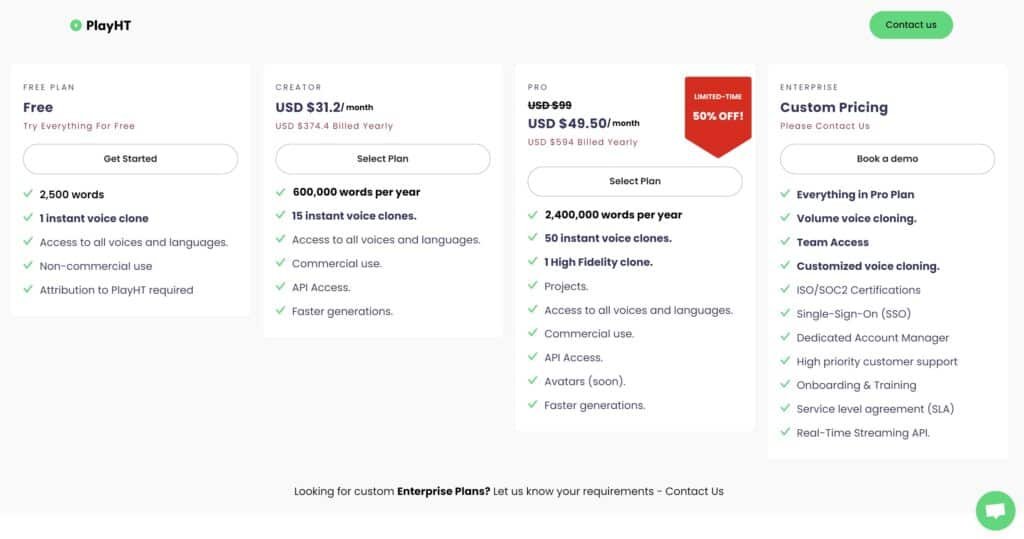
Play.HT makes it easy to upgrade, downgrade, or cancel anytime:
Free Plan - 2,500 words and 1 voice clone for personal use.
Creator Plan - $31/month. 600,000 words, 15 clones, commercial use.
Pro Plan - $99/month. 2.4 million words, 50 clones, High Fidelity cloning.
Enterprise Plan - Custom pricing. For big projects and teams.
3. LOVO: The Titan of Voice Duplication
Best for Long Content Creators and Marketers

LOVO is a dynamic AI voice cloning tool perfect for content creators, marketers, and businesses looking to add a touch of realism to their digital content. With its advanced technology, LOVO allows you to generate hyper-realistic voices in over 100 languages, making it a versatile tool for global content creation.
User Experience
LOVO's user interface is intuitive and easy to navigate, even for beginners. The platform provides a seamless experience from text input to voice generation, with various customization options to fine-tune the output. Creating a voiceover is straightforward, and the platform's speed and efficiency are commendable.
Key Features
- Over 500 AI voices
- Hyper-realistic Pro voices
- Global voices in 100+ languages
- Up to 400GB of storage
- Unlimited downloads and sharing
- Commercial rights
- API support
- Priority queue and support for Pro+ users
What I like about LOVO
- Wide range of voices and languages
- High-quality, realistic voice output
- User-friendly interface
- Extensive customization options
- Excellent customer support
What I don’t like about LOVO
- The free plan is quite limited
- The Pro+ plan might be expensive for some users
Pricing

LOVO offers a free plan for users to experience the product before committing.
The paid plans start from $19/month (billed annually) for the Basic plan, which offers 2 hours of voice generation and 30GB storage.
The Pro plan offers 5 hours of voice generation and 100GB storage, priced at $24/month (billed annually).
The Pro+ plan offers 20 hours of voice generation and 400GB storage for heavy users at $75/month (billed annually). Enterprise plans with custom features are also available.
Try LOVO.AI4. Descript: The Future of Podcast and Video Editing
Best all-in-one solution
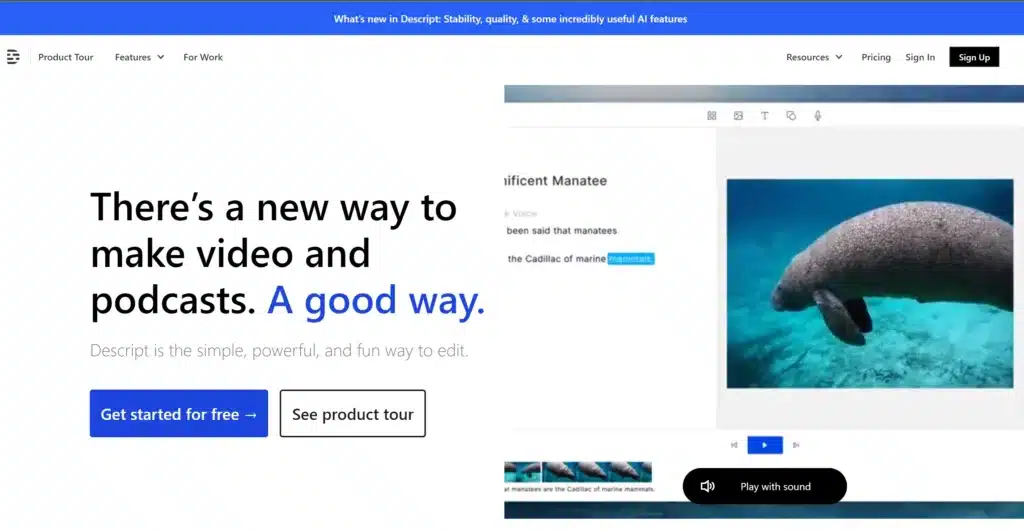
Descript is a revolutionary tool changing how we create and edit video and podcast content. It's not just an editing tool; it's a complete solution for your entire workflow. From writing and recording to transcribing and sharing, Descript has got you covered. Alongside all these functions, Descript also offers a voice-cloning feature.
User Experience
Descript not only revolutionizes how we edit videos but also lets you use your voice clone directly in the content creation process, so you can paste the text and get a voiceover instead of spending several hours recording it.
Descript offers a user-friendly yet partly confusing interface. However, the app is being updated weekly and is getting better in front of our eyes. The platform is loved by many teams for its intuitive design and futuristic capabilities.
Key Features
- Video Editing: Edit your videos as easily as a document or slide.
- Podcasting: Multitrack audio editing made simple.
- Screen Recording: Instantly capture, edit, and share screen/webcam recordings.
- Transcription: Offers industry-leading accuracy and speed with powerful correction tools.
- Clip Creation: Repurpose your content as clips using templates, subtitles, and more.
- Publishing: Host your videos with Descript’s powerful embeddable player.
What I like about Descript
- All-in-one solution for video and podcast editing.
- User-friendly interface that makes editing fun and efficient.
- Powerful features like screen recording and transcription.
- Ability to repurpose content as clips.
What I don't like about Descript
- The platform might be overwhelming for beginners due to the multitude of features.
- The transcription feature, while powerful, may require manual corrections for optimal accuracy.
- You need at least 10 minutes of audio as a sample of your speech to get a good result.
Pricing

Descript offers a free plan that allows you to explore its features without requiring a credit card. For more advanced features, paid plans start at $12 per month.
Try Descript for free!How to clone your voice using AI? Best practices.
With the right approach, voice-cloning software can help you create high-quality, personalized audio content. But how to maximize the capabilities of these powerful AI tools?
Here are some additional steps:
- Provide enough training data - The more audio data you can feed the voice cloning model of the original speaker, the better it will replicate their vocal nuances. Aim for at least 30-60 minutes of clean audio spanning different speech styles.
- Fine-tune with shorter samples - After training the initial model, you can continue feeding short samples to refine the result. These samples help capture subtle quirks.
- Adjust parameters wisely - Most voice cloning software allows adjusting parameters like pitch, tone, speed, etc. Resist the urge to tweak these settings, as it can reduce realism excessively. Make minor adjustments to enhance quality.
- Listen critically - Keep an attentive ear for parts that don't sound right. Rerecord phrases if the tone sounds off. Don't settle for mediocre results.
- Add appropriate pauses - Factor in natural speech pauses between sentences and paragraphs to make the synthesized voice more human-like.
- Mind audio quality - For the highest realism, ensure your training data is studio quality, recorded in a quiet environment using professional gear. If you don't have a professional microphone, use Adobe Enhance to improve the sample quality.
- Proofread transcripts - Carefully proofread any text transcripts you use for synthesis. Any errors get reflected in the audio.
- Balance speed and accuracy - Allow adequate processing time for high accuracy. But leverage faster draft modes to iterate quickly, then regenerate using higher quality voices.
- Check different voices - Experiment with the options offered until you find the best one.
- Update over time - As the voice cloning AI improves, return and retrain your custom voice clone to capture quality advancements.
Ways to Prevent Abuse of Voice Cloning Technology
While this technology has so many benefits it also carries risks if implemented without ethics. There are several important ethical concerns surrounding voice cloning technology:
- Consent - Using someone's voice without consent raises privacy and improper use issues. Many argue that such clones should only be created with permission from the original speaker.
- Misinformation - Synthetic voices can be used to spread false information by making fake audio or video that appears real. This "deepfake" content makes it hard to discern what's real vs fake online.
- Impersonation - Fake audio could allow for easier impersonation of others for criminal, political, or harmful purposes. Checks are needed to prevent misuse.
- Transparency - When AI voices are used in content, there should be transparency that they are synthetic. Lack of disclosure around synthetic voices can be deceptive.
- Bias - To improve artificial intelligence accuracy, we need more diverse training data as available speech clone data may not equally represent all groups.
- Accountability - As technology advances, clearer regulations around synthetic media are important to hold bad actors accountable for misuse of voice cloning.
Conclusion
AI voice cloning has come a long way and can save you time making audio content, short videos, and more. With these tools, you can create unique voices without needing voice actors. PlayHT and Eleven Labs make it easy to "train" the AI on someone's real voice samples.
When using a voice cloning tool, it's super important to give the AI a lot of high-quality audio to learn from. The better samples you provide, the more natural the cloned voice will sound. Always listen to the final generated speech to check that it seems lifelike.
While these voice cloning programs are handy, we have to remember not to trick folks or spread false info with the voices. The AI isn't perfect, so the cloned voice might not match 100%. It's best to be upfront that it's generated, not the real deal.
Overall, voice cloning technology is pretty neat. It will only improve as the AI improves and is exposed to more training data. I'm sure one day it'll be hard to tell the difference!
FAQ
Can AI replicate human voice?
Yes, AI can replicate human voices with remarkable accuracy. This process, known as voice cloning, uses deep learning technology to analyze and replicate a target voice. It requires a sample to clone, and the AI system learns from this sample to generate a synthetic voice that sounds remarkably similar to the original.
Can an AI trick a human?
AI voice cloning technology has advanced to the point where generated results can be very convincing. However, while the voice may sound similar, it’s important to note that the AI does not possess the same knowledge, experiences, or personality traits as the person whose voice replicates. Therefore, while it might trick a human in terms of sound, it won’t be able to replicate the nuances of human conversation fully.
What is the best AI voice generator?
Several high-quality AI voice generators are available today, each with its own strengths. Here are the most popular options: LOVO, Murf.ai, and Eleven Labs.
Choosing the right voice cloner depends on your individual requirements, including voice quality, language choices, user interface, and pricing.
How much does voice cloning cost?
The price of voice cloning depends on your goals and choice. Some platforms offer free versions with limited features, while others may charge a monthly or annual subscription fee.
Premium features, such as access to a larger library of voices or the ability to create more voice clones, typically come at an additional cost. It’s best to check the pricing details on the website of the voice cloning tool you’re interested in for the most accurate information.
How to get the most out of you voice cloning software?

Hey, I’m Kirill, and I love technology. I created RushTechHub.com to help people understand things that seem to be complicated. I write about various topics, such as new apps and exciting AI advancements, and try to provide easy-to-understand insights.
Disclosure: This post may contain affiliate links, and if you decide to buy any of the promoted products, I may receive a commission at no additional cost to you. By doing this, I might feel more inspired to continue writing on this blog. You can read our affiliate disclosure in our privacy policy.